flowchart TD
    A[/"🔍 USER QUERY"/] --> B["🎯 PLANNER<br/><i>o3-mini</i>"]
    B --> C["🌐 SEARCH ×8<br/><i>gpt-4.1</i>"]
    C --> D["📈 FINANCIAL METRICS<br/><i>gpt-4.1 + EdgarTools</i>"]
    D --> E{"🏦 Banking?"}
    E -->|Yes| F["🏛️ BANKING RATIOS"]
    E -->|No| G[" "]
    F --> G
    G --> H["💰 FINANCIALS<br/><i>gpt-5</i>"]
    G --> I["⚠️ RISK<br/><i>gpt-5</i>"]
    H --> J["✍️ WRITER<br/><i>gpt-4.1</i>"]
    I --> J
    J --> K["✅ VERIFIER<br/><i>gpt-4.1</i>"]
    K --> L["📁 OUTPUTS"]
    L --> M[("🗃️ SQLite")]
    L --> N[("🔍 ChromaDB")]
    M --> O["🤖 KB QUERY"]
    N --> O
SEC Corporate Research Assistant with AgenticAI
Claude
SEC
Python
Knowledge Base
AgenticAI
Vibe Analytics
Using Agentic AI to synthesise corporate financial reports from SEC filings, using Chroma/SQL Knowledge Base.
Background
I did a couple of Ed Donner’s great Udemy courses earlier last year:
Late in the year, I decided to test my newly acquired knowledge using a real/test project in my area of expertise. This blog describes what that was and how it went.
Spoiler Alert: SEC Corporate Research Assistant
By way of background I am a chartered accountant and MBA with 30+ years experience in line finance, banking, analytics and corporate/project finance. Along the way, I have picked up some more advanced skill sets to help me address client regulatory reporting and analytical requirements, but no formal programming background apart from some Udemy/Coursera courses.
So I am not and never will be a programmer, but I do use any techniques I can find to assist in my finance and analytical endeavors, so I do code on occasion.
One of the resources I have turned to professionally on occasion is the SEC filings database, which has great information on corporate SEC filers. But I never worked out how to leverage the XBRL access part, without throwing money at a 3rd party app (although I think Arelle might now be the answer). So that became the project - build an app to easily communicate with SEC filings using XBRL and whatever else was necessary and make it easily accessible to users and query-able.
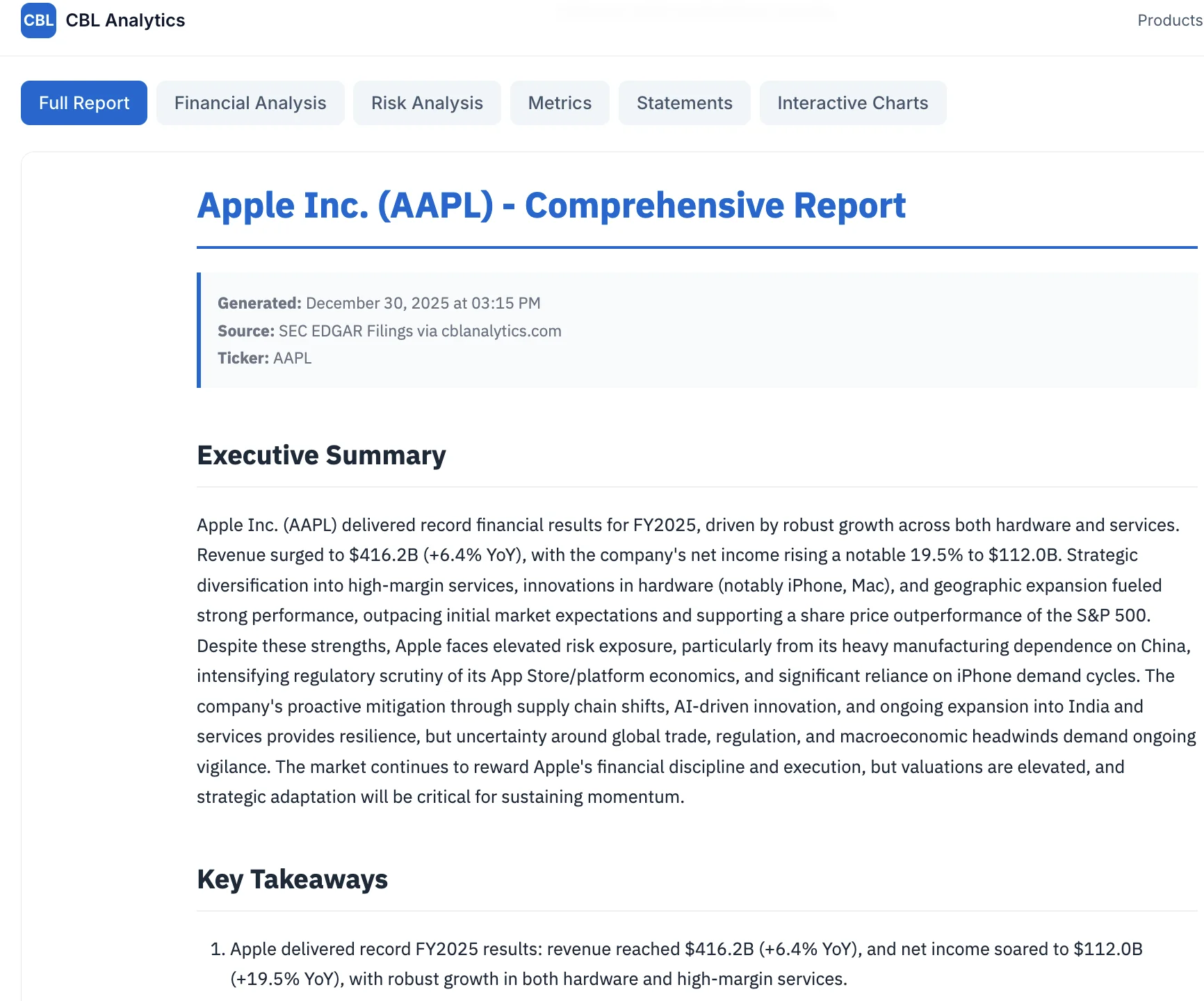
And so we built the ‘SEC Corporate Research Assistant’ - a knowledge base and agentic AI app to extract, synthesise and report on corporate financial information from SEC filings augmented with web searches for more recent data.
The overarching issue is that we need to extract information from SEC without any inaccuracies or hallucinations, which is always a risk with AI. We also needed everything to be fully cited, especially as we were also incorporating web searches for more recent data and other information not in the filings. It is also specifically designed to NOT add any opinions. It is a research assistant, not investment adviser.
As it turned out the process was much simplified by the existence of the Edgartools Python library, which is an excellent library for SEC EDGAR access. It also has MCP server support and there’s a Claude skill available, making it very AI-friendly.
Objective
Key objectives:
Extract and store data from SEC 10-K, 10-Q and 20-F filings into a searchable knowledge base
Augment with web searches for recent developments
Provide analytics (ratio analysis) and visualizations
Output specialist reports (Financial Statements, Analysis, Risk) plus a synthesized Comprehensive Report
Enable natural language queries across the knowledge base
Achieve accuracy without AI hallucinations - all sources fully cited
It turns out, we could and did do all of the above, although there is still room for much improvement, especially in graphics/viz areas and prompt design. Also working on verifications and validations is always up for review. But for a first attempt and as an educational exercise, I am very happy with the results.
Development Approach - Hello ‘Vibe Analytics’
This was very much a ‘vibe coding’ experience, and I am now a committed vibe coder.
Actually that is not true - why stop at the coding part as I am not, nor ever have been, a proper coder in any case, as mentioned above?
No, I am now a full ‘vibe analyst’ (to borrow a term that was used at least as far back as July 2025 in MIT Sloan Management Review “Vibe Analytics: Vibe Coding’s New Cousin Unlocks Insights”. https://sloanreview.mit.edu/article/vibe-analytics-vibe-codings-new-cousin-unlocks-insights/ although in a little bit different sense than I intend, as I explore further in my follow-up blog on being a “vibe analyst”).
Recently, I have been getting Claude Opus 4.5 to research my analytical project ideas as to:
rationality (am I off my tree),
practicality (can it be done - it always can, just degrees of accuracy/ levels of confidence),
what have others already done
what data is there and how do we get it
best analytical methodologies.
We haven’t even reached the coding part at this stage. And this is all pretty much just a conversation with the LLM. And really, in a controlled enterprise finance unit, the easiest approach might be just to use Excel and friends, which everyone already has. And, as mentioned, Claude does spreadsheets now, and is a MS approved Excel add-in, and there is python in excel, and co-pilot … so heaps of options.
So there is definitely a vibe feel about this sort of analysis, even without the coding bit. And that is good.
Really, these days you would not (or should not, subject to organisational security issues) do any serious analytics without starting with the help of your favourite/allowed AI tool. Give Claude or Gemini your ideas with your favourite model/s , then get them to do some deep research, have a bit of a brain storming session, then they will work up a plan with methodologies, data sources, references etc, and off you go, Code or No-Code, vibe on! I sometimes have the plan reviewed - Gemini 3 added some real value to a Claude Opus 4.5 plan the other day.
Development Methodology
I used VSCode as an IDE, because back when I first started experimenting, my other two preferences (Windsurf/ Cursor) both had issues, which however all seem to be rectified now.
Then, I definitely needed a programming partner, so I hired help - hello Claude.
I am not sure how I settled on Claude as the programming partner, I really just got used to using Claude in VSCode, and the VSCode extension for Claude came out around the time I first started the project, so Claude it was. Claude did not come particularly cheap though, as it didn’t take long to realise I needed a Claude Max license 😦. Various Claude tools and skills were also added in.
Claude can operate in many ways and guises. After much experimentation and a few disastrous experiences/regressions, I ended up using a phased and documented approach (sort of plan/approve/build/review, our ‘4-hat’ approach 😄) where I, as human-in-the-loop was really just helping with planning, approving and a final functional review and test. Claude/s did all the heavy lifting. I did no coding.
More for my sanity than anything else, I tended to use Claude desktop for planning/approving and Claude Code (CLI or extension) for building. I understand this is a very old fashioned approach (reminiscent of the good ol’ days of early 2025), so maybe I will start using Ralph Wiggum and human-on-the-loop all in Claude CLI… I am certainly looking forward to giving it a go!
Approach
We started with the OpenAI agentic approach ie:
Financial Research Agent Example - one of the excellent included examples for the above SDK. One of the very valuable attributes of this example is its mix of 6 agents, all of which we used, and then we added some more!
So we ended up with a mix of OpenAI and Anthropic AI technologies, although the actual models for each agent can be configured, to a degree (had some issues with structured outputs).
Tech Stack
The tech stack evolved as the project progressed:
Frontend: Gradio (Ed’s favorite)
Backend/Agents: OpenAI Agents SDK as the orchestration framework
LLM Models: Mix of OpenAI LLMs depending on task requirements - gpt-5, gpt-4.1, o3-mini (for planning). Cost per analysis is about 30 cents in total (across 7 agents), but I am sure this can be reduced given further testing/optimisations.
SEC Data: Edgartools - as mentioned, excellent Python library for SEC EDGAR access including XBRL parsing
Knowledge Base:
- ChromaDB for vector storage and semantic search
- SQLite DB/Railway for structured data and metadata
Web Search: Brave with Serper fallback for augmenting filings with recent news and data via multiple parallel searches, and also helping fill gaps in KB queries.
Hosting: Railway for deployment
Development: VSCode + Claude Code extension + Claude Desktop + Claude Code CLI
The Agent Pipeline
The heart of the system is a multi-agent pipeline that orchestrates the analysis:
Each agent has a specific role, current models and resulting costs included:
| Agent | Model | Purpose | Cost |
|---|---|---|---|
| Planner | o3-mini | Creates strategic search plan (5-8 targeted searches) | $0.003 |
| Search | gpt-4.1 | Executes 8 parallel web searches for market context | $0.052 |
| Metrics | gpt-4.1 | Extracts XBRL data, calculates 50+ financial ratios | $0.068 |
| Financials | gpt-5 | 800-1200 word deep financial analysis | $0.042 |
| Risk | gpt-5 | 800-1200 word risk assessment from 10-K Item 1A | $0.060 |
| Writer | gpt-4.1 | Synthesizes 1500-2500 word comprehensive report | $0.064 |
| Verifier | gpt-4.1 | Quality control, validates citations and arithmetic | $0.015 |
| Total | ~$0.30 |
The key insight: use expensive models (gpt-5) only where analytical depth matters - Financials and Risk agents. Everything else uses the more economical gpt-4.1. That’s about 65 comprehensive analyses for $20 of API credit.
Process Flow
Open Existing Corporate Analysis
- User selects from list of previously analysed corporates
- System loads existing reports from knowledge base
- User can view Financial Statements, Analysis, Risk Report or Comprehensive Report
- User can query the knowledge base with follow-up questions
Create New Corporate Analysis
- User enters company ticker or CIK number
- System retrieves latest 10-K/10-Q/20-F filings via Edgartools
- Multiple specialist agents process the filings:
- Planner Agent: Creates targeted search strategy
- Search Agent: 8 parallel web searches for market context
- Financial Metrics Agent: Extracts XBRL data, calculates ratios
- Financials Agent: Narrative financial analysis
- Risk Agent: Synthesizes risk factors and recent developments
- Writer Agent combines outputs into Comprehensive Report
- Verifier Agent checks consistency and citations
- All data stored to knowledge base for future queries
- Reports presented to user with full citations
Ad Hoc Knowledge Base Query
- User enters natural language query
- System performs semantic search across stored analyses
- Relevant context retrieved from ChromaDB together with SQLite query as necessary
- LLM generates response with citations to source filings and web searches
- Can query across multiple corporates for comparative analysis
Next Steps
Improve the prompting around the KB queries
Better graphics and visualisations
Faster performance
Cheaper models (where possible without quality loss)
Add more filing types (8-K, proxy statements)
Peer comparison analytics
But it is still just an app built for educational purposes only!
For more on the “vibe analyst” concept and lessons learned, see my follow-up post: The Rise of the Vibe Analyst